
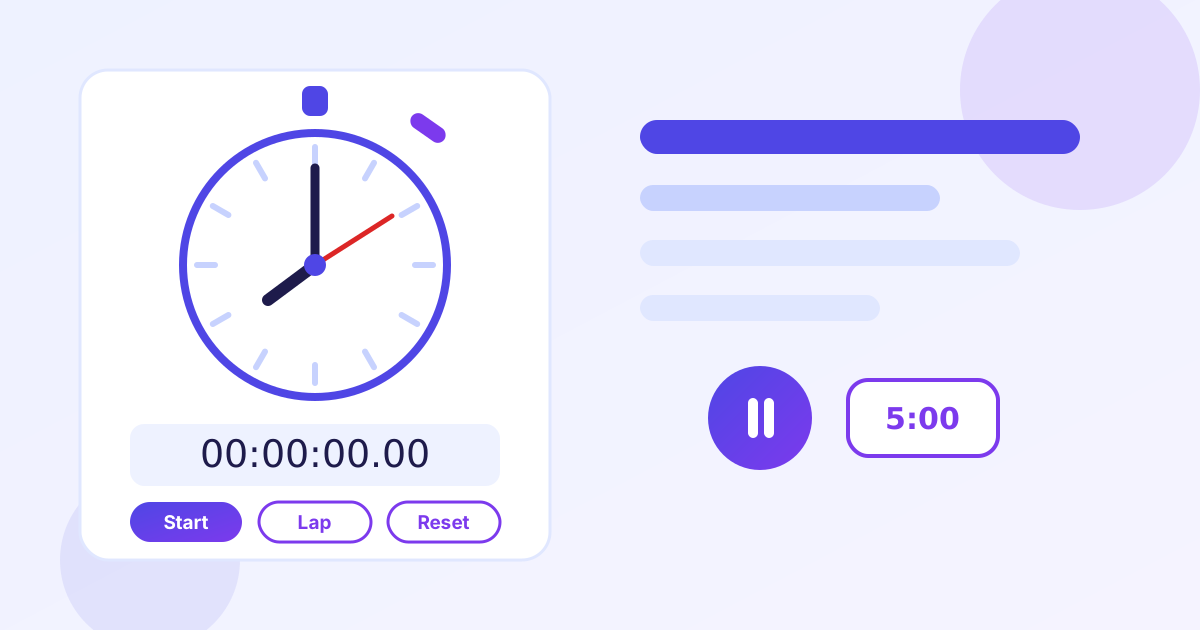
Online Stopwatch & Timer Guide (Free, No Signup)
Timing matters more than most people think. Students racing a practice exam, lifters resting between sets, cooks juggling three burners and runners chasing a personal best all depend on an accurate clock. The free Online Stopwatch and Timer from ZeroFee Tools runs right in your browser: a stopwatch that counts up with lap times, and a countdown timer that beeps when it reaches zero. No install, no signup, no cost.
A stopwatch measures how long something took. A timer warns you when a set amount of time has passed. They look similar, but they solve opposite problems, and this guide explains which one your task needs, how lap timing works, the keyboard shortcut that keeps your hands free, and how to set up the timer for Pomodoro sessions, workouts, exams and cooking.
Should I use a stopwatch or a timer?
Use a stopwatch when you want to know how long something took, and a timer when you want an alert after a set amount of time. Practice exams, race splits and study sessions belong to the stopwatch; cooking, Pomodoro breaks and rest intervals belong to the timer.
The question to ask yourself is simple: do you care about the total at the end, or the signal during? If you are practicing for a timed exam, the total is the point. Start the stopwatch, work the paper without pausing, and compare your finish time against the real limit. If you are boiling pasta, the signal is the point: set 9 minutes and wait for the beep instead of watching the pot.
Many tasks use both. A common workout pattern is a stopwatch for the whole session with laps for each set, plus a timer for the rest interval between sets. A study session might be a stopwatch for a practice test in the morning and a Pomodoro timer for reading in the afternoon. The tool keeps both modes one click apart, so switching from a 25-minute focus block to timing your next mock exam takes seconds.
5 everyday uses: study, workouts, exams, cooking, Pomodoro
The five most common uses are study sessions, workouts, exam practice, cooking and the Pomodoro technique. Each one pairs a clear start and finish with a number worth matching or beating next time.
- Study sessions. Time a focused block and note how much you covered. Comparing block lengths and output across days shows whether your concentration is actually improving or just feeling busy.
- Workouts. Time each set and rest period as a lap. Over weeks, the lap list becomes a training log: shorter rests and faster sets are progress you can see.
- Exam practice. Run full mock exams under the real time limit with no pausing. The gap between your mock time and the limit shows exactly which sections need more speed.
- Cooking. Multi-stage dishes like risotto or a roast with resting time are perfect for laps: one lap per stage, one timeline for the whole dish, no mental math while your hands are full.
- Pomodoro technique. Set the timer for 25 minutes of single-task focus, then 5 minutes of real break. After four rounds, take a longer 15 to 30-minute break. The beep enforces the boundary so willpower does not have to.
How do lap and split times work?
A lap records how long one segment took while the clock keeps running; a split records the total elapsed time at each mark. Runners use laps per 400 meters, cooks use them per recipe stage, and lifters use them per set.
Picture a 12-minute run where you press Lap at 4 and 8 minutes. The two laps read 4:00 and 4:00, telling you each segment's pace. The splits read 4:00 and 8:00, telling you where you were in the total. Same data, two views, and both are useful: laps show consistency, splits show position.
For cooking, laps are usually the better view. Searing for 3 minutes, simmering for 20 and resting for 10 gives laps of 3:00, 20:00 and 10:00, which map directly onto the recipe's instructions. For a workout, laps per set plus the final total tell you the work-to-rest ratio of the whole session at a glance.
What keyboard shortcuts does the stopwatch have?
The main keyboard shortcut is the space bar: press it to start the clock, press it again to pause. Laps and reset use the on-screen buttons, which is deliberate, since an accidental key press mid-sprint would ruin a timed run.
Space-as-toggle keeps your hands free for the actual task. Mid-workout, you can start a set with one tap without looking at the screen; mid-exam-practice, you can pause without breaking your writing rhythm. Keep the tool's tab focused and the shortcut works anywhere on the page.
Laps stay on buttons on purpose. Recording a lap is a decision, starting and pausing is a reflex, and separating them means a stray keystroke never splits your timing at the wrong moment. When the session is over, the reset button clears everything for the next round.
How does the countdown timer and its beep work?
Enter hours, minutes and seconds, press start, and the timer counts down to zero, then displays "Time's up!" and plays a beep. It measures against your device's system clock, so the countdown stays accurate even if you switch tabs.
Two things make the beep reliable: keep the tab open and keep your volume on. The countdown itself keeps perfect time in the background, but a closed tab cannot play sound. For a Pomodoro session, set 25:00, work until the beep, then set 5:00 and actually step away. For cooking, set one timer per stage and let the beeps sequence the dish for you.
If a timer feels too rigid for a task, switch to the stopwatch instead. Timers are for deadlines you must not miss; stopwatches are for durations you want to learn from. Most productive days use both.
How to time anything in 5 steps
- Open the tool. Go to the Online Stopwatch and Timer; everything loads instantly in the page.
- Choose your mode. Stay on the stopwatch to measure elapsed time, or switch to the timer and enter hours, minutes and seconds.
- Start with the space bar. One press starts the clock and another pauses it, so your hands stay on the task.
- Record laps as segments finish. Each lap captures one segment while the total keeps running beside it.
- Reset and go again. Reset clears the clock for the next round; for Pomodoro, start the next 25-minute block.
5 practical tips
- Time practice exams under real conditions. Same time limit, no pausing, phone away. The gap between your mock time and the real limit shows exactly where to gain speed.
- Lap your rest periods instead of resetting them. In a workout, each set and each rest becomes a lap, so the full session stays on one timeline you can review afterward.
- Keep the tab open for the beep. The timer is accurate in the background, but the sound only plays if the tab is open and your device volume is on.
- Use 25/5 for study and longer cycles for deep work. The classic 25-minute focus with a 5-minute break suits most study sessions; take a 15 to 30-minute break after four rounds.
- Write the numbers down. A lap time only helps if you compare it. Note study block lengths, set times or mock scores in a notebook and watch the trend over weeks.
Frequently asked questions
What is the difference between a stopwatch and a timer?
A stopwatch counts up from zero to measure how long something took. A timer counts down from a set time and alerts you at zero. The ZeroFee Tools page includes both, so you can time a workout and then set the rest interval without switching apps.
Can I start and pause the stopwatch from the keyboard?
Yes. The space bar starts and pauses the clock. Laps and reset are on-screen buttons, which keeps an accidental key press from ruining a timed run.
What happens when the countdown timer reaches zero?
The display shows "Time's up!" and a beep sounds. Keep the tab open with your volume on so you hear it.
Does the stopwatch keep running if I switch to another tab?
Yes. The clock measures against your device's system clock, so it stays accurate in the background. Switch back to read the current time or record a lap.
Is an online stopwatch accurate enough for training?
For workouts, study sessions, cooking and exam practice, yes, easily. For official race results or anything with prize money, use certified timing equipment.
Ready to try it yourself? It's free, no signup required.
Try the free Online Stopwatch & Timer →