
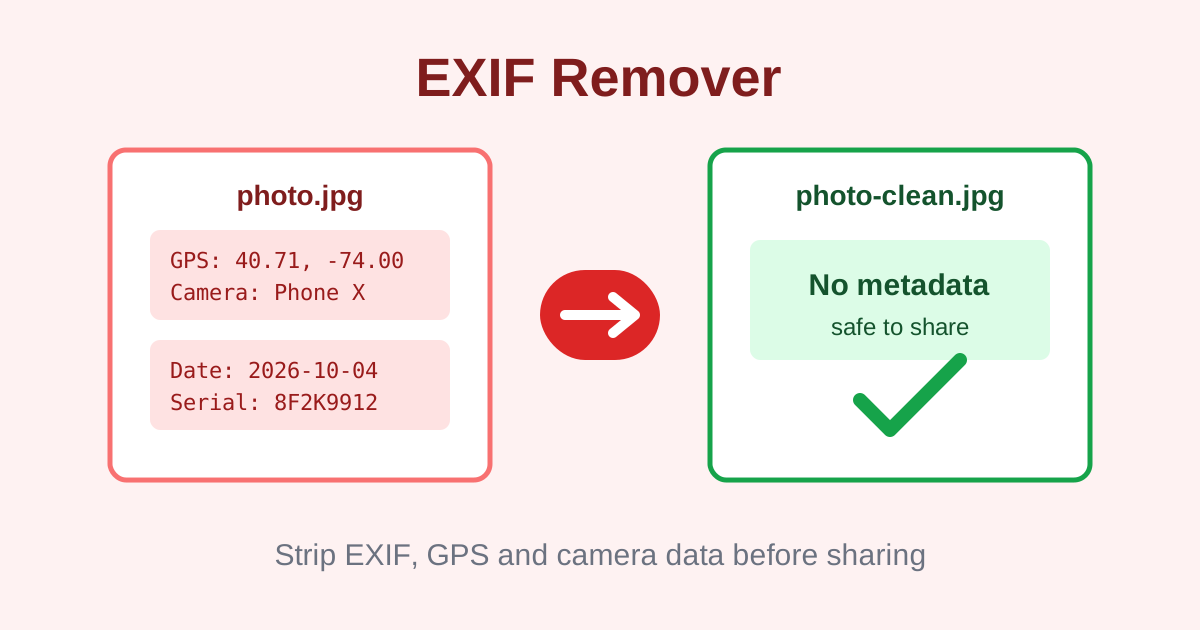
EXIF Remover is a free online tool that strips metadata from JPEG photos by re-encoding them in your browser. Camera details, GPS location, timestamps and editor tags are removed, so the cleaned photo is safer to share. Everything runs locally with no signup and no watermark.
Drop a JPEG photo here or click to browse
.jpg / .jpeg only - cleaned locally, never uploaded
- EXIF data (camera settings, exposure, ISO)
- GPS coordinates and location tags
- Timestamps and device identifiers
- Editor and software tags (IPTC / XMP)
How do I remove EXIF data from a photo?
Upload your JPEG to the EXIF Remover above and it is cleaned automatically. The tool draws the photo to an HTML canvas and re-exports it as a fresh JPEG, which drops EXIF, GPS, IPTC and XMP metadata. Adjust the quality slider if you want, then click Download cleaned image. Everything happens in your browser, so the photo is never uploaded.
This canvas re-encoding method is the reliable way to guarantee no metadata survives, because the new file is built from pixels only. The tradeoff is one extra round of JPEG compression, which is invisible at the default 92 percent quality.
What metadata do phone photos contain?
Phone photos often embed GPS coordinates, the exact date and time, the phone model, camera settings like shutter speed and ISO, and sometimes a serial number. Sharing the original file can reveal where and when a photo was taken. This tool strips all of that by re-encoding the image, leaving only the pixels.
That location data is the real risk. A photo of your home or your kids posted with GPS intact tells strangers exactly where it was taken. Cleaning photos before sharing them publicly or sending them to people you do not know well is a simple, effective privacy habit.
Will removing EXIF affect image quality?
Slightly. Because the tool removes metadata by re-encoding the JPEG, the image goes through one more round of compression. At the default 92 percent quality the difference is invisible to the eye, but the file is technically recompressed. If you need pixel-perfect originals, keep a backup copy before cleaning.
The before-and-after file sizes shown on this page tell you exactly what changed. In most cases the cleaned file ends up a little smaller, since the metadata blocks themselves take up space.
Why do some sites still show my photo location?
Some platforms strip metadata on upload, but many messaging apps and email attachments keep the original file intact. Also, visual clues in the photo itself can still reveal locations. Cleaning photos before you share is a good habit, and this tool makes it a one-click step with no account needed.
Remember that metadata removal only handles hidden data. A street sign, a license plate or a house number visible in the frame is part of the pixels and stays no matter what you strip.
Frequently asked questions
Is this EXIF remover really free?
Yes. No signup, no watermark and no limits on how many photos you clean. Everything runs in your browser, so there is no server cost to pass on to you.
Are my photos uploaded to a server?
No. The photo is re-encoded locally with the Canvas API and never leaves your device. This matters for a privacy tool: your uncleaned photo with its GPS data is never transmitted anywhere.
Does it work on PNG or HEIC photos?
This tool is built for JPEG, the format where EXIF and GPS data actually live. PNG files carry little embedded metadata, and HEIC cannot be decoded reliably in browsers, so stick to JPEG for cleaning.
Will the cleaned photo look different?
Visually, no. The pixels are redrawn at up to 92 percent quality by default, which looks identical to the eye. Only the hidden metadata is removed. Technically the file is recompressed, so keep a backup if you need the untouched original.
Can the removed metadata be recovered?
No. Re-encoding creates a brand-new JPEG file that simply does not contain the EXIF, GPS, IPTC or XMP blocks. There is nothing left to recover.
Does it remove watermarks or date stamps burned into the photo?
No. It only removes hidden metadata. A visible date stamp or watermark is part of the image pixels themselves and cannot be removed by this tool.