
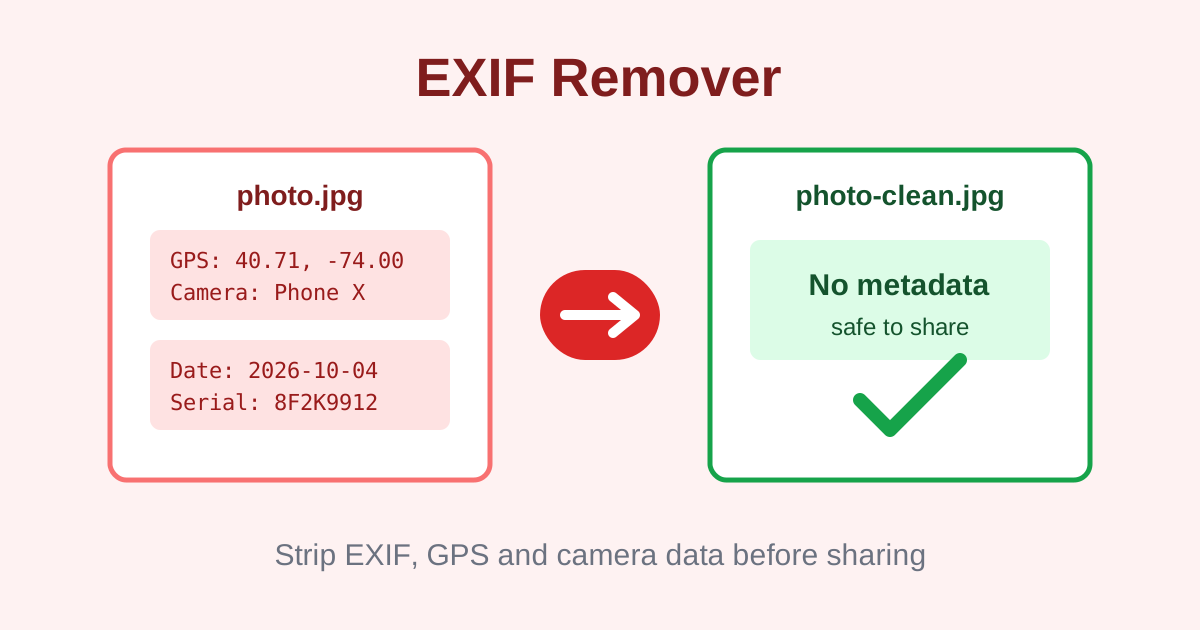
EXIF Remover: Strip Hidden Metadata From Your Photos
Every photo your phone takes carries a hidden payload: GPS coordinates of where you stood, the exact date and time, your camera model and sometimes the software you used to edit it. Post that photo to a forum, send it by email or share the file directly, and anyone who downloads it can read all of it with free tools in seconds.
The EXIF remover strips that metadata by re-encoding your photo in the browser, producing a clean file with the same visible image. It shows before and after file sizes, offers a quality slider, and never uploads your photo anywhere. For a full picture of what your file contains, run it through the image dimension checker first; to shrink the cleaned file for sharing, follow up with the compress image tool.
What hidden data is actually inside my photos?
Your photos can contain GPS coordinates, timestamps, camera model, exposure settings and editor tags, all written automatically by your phone and invisible in the image itself. Anyone who downloads the file can read this data with free tools. Location leaks from property listings and marketplace ads are the most common real-world consequence.
EXIF, the Exchangeable Image File Format, is a metadata standard baked into JPEG files. Your phone writes it automatically: make and model of the device, shutter speed, aperture, ISO, flash status, the precise timestamp and, crucially, GPS coordinates from the location sensor. Editing apps add their own layer, IPTC and XMP tags recording the software name, author fields and edit history.
None of this is visible in the photo itself, which is why people forget it exists. But the data is trivially readable: a right-click properties panel, a free online viewer or a single command reveals the coordinates of your home, your child's school or a client's site. Real-estate listings, marketplace ads and dating profiles have all leaked locations this way. If a photo was taken somewhere you would rather not advertise, assume the location is embedded until you have stripped it. Dating apps and marketplaces are frequent offenders: a photo of an item for sale can reveal the seller's home address through embedded coordinates.
How does re-encoding remove EXIF, and what is the catch?
The tool re-encodes your photo in the browser: it draws the image onto a canvas and exports a brand-new JPEG that was never given any metadata. This completely removes EXIF, GPS and editor tags. The honest trade-off is recompression, so quality is near-original but not bit-identical; at high quality settings the difference is invisible.
There is no surgical way to delete EXIF in a plain browser without rewriting the file, so this tool takes the honest approach: it re-encodes the photo. Your image is drawn onto a canvas and exported as a brand-new JPEG, and the new file simply never had any metadata written into it. The GPS coordinates, camera tags and editor history are gone because the container that held them no longer exists. Because the new file is generated fresh, there is no metadata segment to forget or partially wipe; the removal is total by construction.
The trade-off is recompression. JPEG is a lossy format, so exporting again applies a second round of compression. In practice, at high quality settings the difference is invisible: the tool's own description states quality is near-original but not bit-identical, and that is the right expectation. You are trading an imperceptible quality change for complete metadata removal, and the before and after file sizes show you exactly what changed.
Which photos should I strip metadata from?
Strip EXIF from photos taken at your home or workplace, marketplace and property listings, profile pictures, photos of children and anything sent to strangers or posted publicly. Keep EXIF on personal archives and portfolios where camera settings have value. The safe habit is to archive the original and share only the cleaned copy.
Shareable copies of photos taken at your home, your workplace or anywhere tied to your identity top the list: listing photos, marketplace ads, profile pictures and anything sent to strangers. Photos of children deserve the same treatment, since timestamps plus coordinates can reconstruct routines. If you photograph documents, whiteboards or screens for work, editor tags can reveal internal software and usernames.
You do not need to strip everything. Personal archives, photos shared with family and images where the metadata has creative value, like a photographer's portfolio with exposure details, can keep their EXIF. A sensible workflow is to keep the original archived and share only the cleaned copy. That way the metadata survives where it is useful and never leaks where it is not. Journalists and activists working in sensitive regions strip metadata as a matter of routine operational security.
How to remove EXIF data in 4 steps
- Upload your photo. Drop a JPEG onto the tool. The file is read locally; nothing is sent to any server.
- Set the quality. Use the quality slider, keeping it high if you want the cleanest possible result with near-original fidelity.
- Strip the metadata. The tool re-encodes the image in your browser, producing a new file with no EXIF, GPS or editor tags.
- Compare and download. Check the before and after file sizes to confirm what changed, then download the cleaned photo for sharing.
6 practical tips for photo metadata privacy
- Strip before sharing publicly. Run listing photos, marketplace ads and forum uploads through the remover before posting, not after.
- Check your phone's camera settings. Most phones let you disable location tagging for new photos, which prevents GPS EXIF at the source. On iPhones this lives under Privacy settings; on Android it varies by camera app.
- Keep the original archived. Store the untouched photo privately and share only the cleaned copy, so metadata survives where it is useful.
- Use maximum quality for keepsakes. When the cleaned photo matters to you, keep the slider high; the file stays visually identical while metadata is fully removed.
- Remember screenshots too. Screenshots can carry device and software tags. Strip them before posting bug reports or sharing screens publicly.
- Verify with the dimension checker. After cleaning, the image dimension checker confirms the file is intact with its true pixel dimensions unchanged.
Frequently asked questions
What is EXIF data?
EXIF stands for Exchangeable Image File Format, the metadata standard cameras and phones use to store details inside JPEG files: camera model, exposure settings, timestamps and often GPS coordinates. It travels with the photo unless you remove it.
Do social media sites remove EXIF automatically?
Sometimes. Social networks like Facebook and Instagram strip most EXIF on upload, but messaging apps, email, forums and direct file shares often preserve it. Never assume a platform cleaned your photo; strip it yourself before sharing anything sensitive.
Will removing EXIF change how my photo looks?
No. Removing EXIF deletes the metadata but leaves the visible image untouched. The pixels are identical in content; only the hidden data is gone. Note that this tool also re-encodes the image, so the file is technically recompressed at near-original quality.
Is my photo uploaded when I strip EXIF?
No. The photo is re-encoded locally in your browser with the Canvas API. It is never uploaded, stored or seen by anyone else, which is exactly what you want from a privacy tool.
How do I keep maximum quality while removing EXIF?
Use the highest quality setting on the slider. The re-encode then stays visually identical to the original while still discarding every byte of metadata. The before and after file sizes shown by the tool let you confirm the change.
Ready to try it yourself? It's free, no signup required.
Try the free EXIF Remover →