
How to Compare JSON Files and Spot Changes
Two files that should be identical, but something changed and now nothing works. That is the daily reality of JSON: API responses that drift between deploys, config files that differ between staging and production, data exports that silently gain or lose fields. Eyeballing two blocks of JSON is slow and unreliable, which is why developers diff them. The free JSON Diff tool from ZeroFee Tools compares two JSON documents side by side in your browser and highlights exactly what was added, removed or changed, with no signup and no upload.
This guide explains why diffing JSON beats reading it, how line-based comparison works, how to read added, removed and changed entries, and the key-ordering gotcha that confuses every beginner. You will also get two practical workflows: debugging a broken API response and reconciling config files across environments. If your JSON is one unreadable line, run it through the JSON formatter first, and if you suspect it is broken rather than different, check it with the JSON validator.
Why compare two JSON files?
Compare JSON files when two documents should match but behave differently: an API response that changed after a deploy, a config that works in staging but not production, or a data export that lost records. A diff finds the exact difference in seconds instead of you scanning hundreds of lines.
API debugging is the classic case. Version 2.3 of the endpoint returned a user object with an email_verified flag; version 2.4 does not, and now the signup flow breaks. Both responses are 400 lines long. A diff shows you the one missing key instantly, while reading both responses top to bottom would take twenty minutes and still risk missing it.
Config drift is the quieter twin. Someone hotfixed a timeout value directly in production six months ago, and every deploy since has carried the staging value that nobody uses. Diffing the two config files surfaces the drift as a single changed line, which is far cheaper than discovering it during an outage. Data work benefits too: diffing yesterday's export against today's shows exactly which records were added, removed or modified, which is often the entire point of the export.
How does a line-based diff work?
A line-based diff splits both documents into lines, matches up the lines that are identical, and flags the rest as added, removed or changed. Identical lines collapse into context; differing lines get highlighted so the change stands out.
Under the hood, the algorithm finds the longest sequence of lines the two documents share, then treats everything between the shared lines as a difference. You do not need the math; you need the mental model. Think of it as two manuscripts laid side by side with a highlighter: everything unhighlighted is the same, everything highlighted is where they diverge.
One consequence matters more than the rest: a line-based diff compares text, not meaning. The same data written with different formatting looks like a total rewrite. A minified response on one side and a pretty-printed one on the other will light up every line as changed, even though not a single value differs. Always format both documents the same way before you diff, with identical indentation, and most of that noise disappears before you start reading.
How do I read added, removed and changed entries?
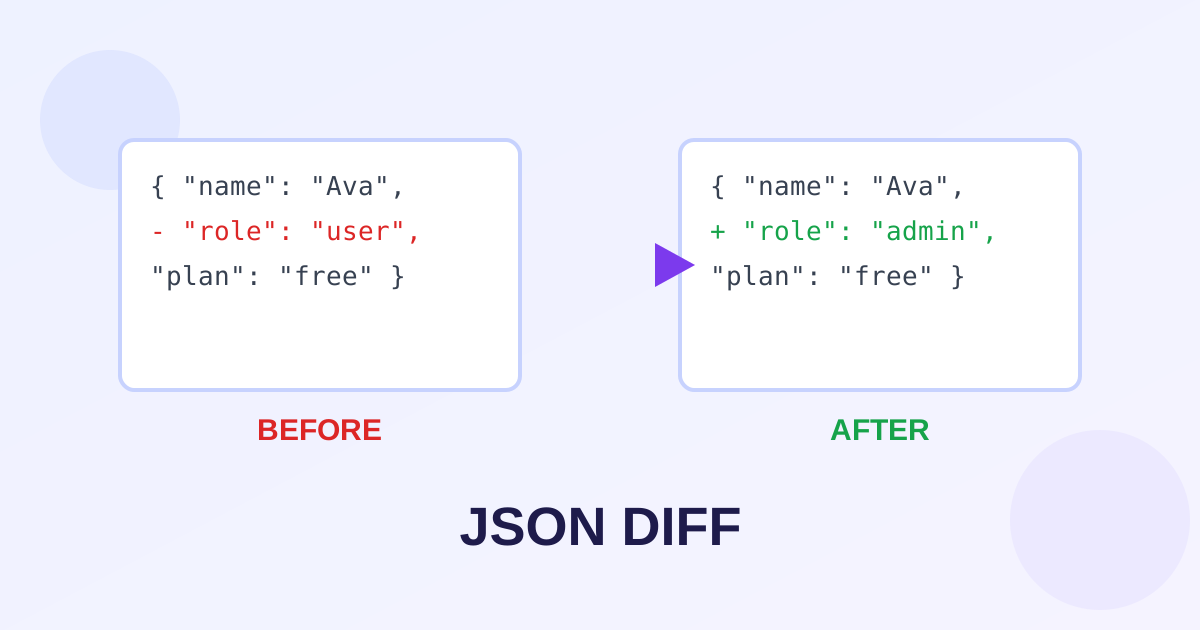
Lines that exist only in the second document are additions, lines that exist only in the first are removals, and a removal immediately followed by an addition at the same spot is a change. Read removals and additions in pairs to see what a value changed from and to.
| Marker | Meaning | Example |
|---|---|---|
| Added | Present only in the new document | "role": "admin" appears in green |
| Removed | Present only in the old document | "legacy_id": 4417 appears in red |
| Changed | Removed and added at the same position | "timeout": 30 becomes "timeout": 60 |
Read changed values first, because a modified value is the most likely culprit when behavior shifts. Then look at added and removed keys: a new key can break strict parsers that reject unknown fields, and a removed key breaks every consumer that reads it. Whitespace-only differences are noise; if your diff tool highlights them, mentally filter them out and keep moving.
Why does key order create false differences?
JSON objects are unordered by specification, but a line-based diff compares text, so the same keys in a different order look like changes. If the order does not matter to you, enable the ignore key order option to compare by key instead of by line position.
Here is the trap in miniature. The old response contains {"a": 1, "b": 2} and the new one contains {"b": 2, "a": 1}. Semantically identical: same keys, same values. Textually different: every line moved. A naive diff flags the whole object as changed, and you waste ten minutes proving to yourself that nothing happened.
This happens constantly in real APIs, because serializers often emit keys in hash order or insertion order, and either can shift between versions without any data changing. Sorting keys on both sides, or using the diff tool's ignore-order comparison, collapses all of it back to "no difference". One caution: keep order-sensitive comparison for arrays. A reordered list of processing steps is a real change, and an option that ignores order everywhere would hide it. Compare objects by key, arrays by position.
Workflow 1: debugging an API response
Save a known-good response and the broken one, format both identically, then diff them. The first real change in the diff is usually the regression.
- Capture the baseline. Hit the last working version of the endpoint, or pull the response from your logs, and save it as version A.
- Capture the broken response from the current version as version B. Use the same request parameters so the only variable is the deploy.
- Format both identically. Paste each through the JSON Diff tool or the formatter with the same indentation setting.
- Diff A against B and read from the top. The first unexpected addition, removal or change is your prime suspect. Everything after it may be a downstream effect.
- Verify the fix by diffing again. After patching, capture a fresh response and confirm the diff against the baseline is clean.
Workflow 2: comparing config files across environments
Diff staging against production to find drift: values that were hotfixed in one place and never copied over. Classify each difference as intended or drift, then sync the drifted values back.
Export both config files and strip the volatile fields first: timestamps, generated IDs and secrets that rotate will otherwise drown the real differences. Paste the cleaned files into the diff tool. Now walk the changes one by one. An intended difference is something like a database host that is supposed to vary by environment; leave those alone. Drift is everything else: a feature flag on in staging but off in production, a retry count someone tuned during an incident and forgot. For each drifted value, decide which side is correct and copy it over, then redeploy so the files converge for real instead of just on paper.
6 tips for clean diffs
- Format both sides identically before you start. Same indentation, same key style. Ninety percent of confusing diffs are formatting mismatches.
- Strip volatile fields first. Timestamps, request IDs and nonces change on every run and add nothing. Remove them or the diff is unreadable.
- Redact secrets even though nothing uploads. The tool runs in your browser, but screenshots of diffs travel in chat threads. Replace tokens with placeholders first.
- Diff small sections when files are huge. Isolate the suspect branch of the document and compare just that part for a focused, readable result.
- Check arrays position by position. One inserted element shifts everything after it; read array diffs carefully rather than assuming total chaos.
- Keep the baseline. Save the known-good document with a date in the filename. Next time something breaks, your version A is already waiting.
Frequently asked questions
Does the order of keys affect the diff?
Yes, for a plain line-based comparison. The same keys in a different order look like changes because the diff compares text, not meaning. Enable the ignore key order option to compare objects by key instead of by position. Keep order-sensitive comparison for arrays, where a reordered list is a genuine change.
Is my JSON uploaded to a server when I diff it?
No. The JSON Diff tool compares everything in your browser with client-side code, so your data never leaves your device. That matters when responses contain API tokens, personal data or proprietary config values.
Can I diff minified JSON?
Yes, but format both documents first. Minified JSON is one long line, which makes line-based diffs useless. Run each side through a formatter with identical settings, then diff the pretty-printed versions for a readable result.
What if my JSON files are very large?
Browsers have practical memory limits, and diffing multi-megabyte documents can get slow. Isolate the section you care about and diff just that part, or strip the branches that never change. For routine checks, smaller focused diffs beat one giant one.
What is the difference between an added key and a changed value?
An added key exists only in the new document, like a brand new field an API started returning. A changed value is the same key with a different value, shown as a removal plus an addition at the same spot. Changed values are the usual suspects when behavior breaks; added keys matter when strict parsers reject unknown fields.
Ready to try it yourself? It's free, no signup required.
Try the free JSON Diff Tool →